How to Make a Family Memory Box That Stays Useful
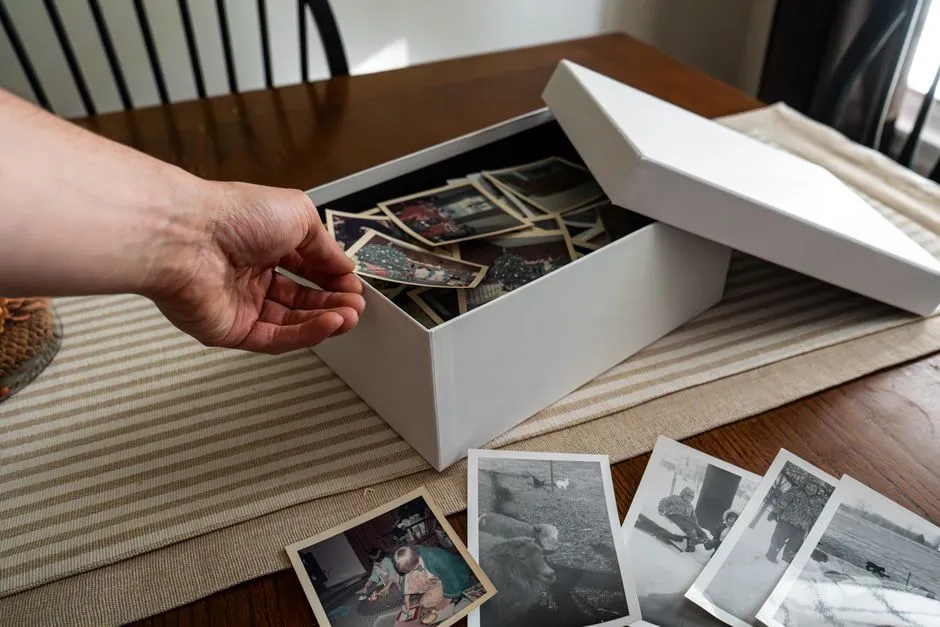
Give memory a physical limit
To make a family memory box that stays useful, choose one fixed-size container, divide it by person or year, and save only items connected to a specific story. Label every piece with date, names, place, event, source, and why it mattered.
The fixed size is part of the system. Without it, memory keeping quietly becomes a municipal paper-storage program run from the hall closet.
Choose a safe, stable container
Use a clean, sturdy box that closes and fits the intended shelf. For valuable or fragile paper and photographs, consult a qualified conservator about archival-quality, acid-free, and photo-safe enclosures rather than trusting an unspecific marketing label.
Store the box away from leaks, direct sunlight, pests, food, household chemicals, attics with extreme temperature swings, and damp basements. Keep it out of children's reach when contents include small parts, magnets, button or coin batteries, sharp objects, long cords, medication, sentimental objects that cannot withstand play, or private information.
Do not store live batteries. Remove them from electronic keepsakes when the manufacturer and preservation needs allow, then manage the batteries through appropriate collection or disposal guidance.
The memory-keeping guides prioritize a boringly safe shelf. Exciting storage conditions are usually called incidents.
Divide the box before filling it
Create one folder or envelope for each year, family member, child, trip, or theme. Choose only one logic and label it clearly. Add an index inside the lid.
A yearly box might contain:
- Five to ten representative photographs
- A few pieces of artwork or writing
- One letter, card, or note
- A recipe with its story
- A program, map, or ticket tied to an event
- One small object with context
- A one-page family timeline
Those quantities are examples, not developmental recommendations. Adjust the system to family size and space. The rule is that every item earns its place by carrying a memory you can name.
Let children participate without grading them
Invite a child to choose favorite work when age and circumstances make that appropriate. Ask, “Which one tells a story you want to remember?” rather than “Which is your best?” Record the child's explanation in their own words and date it.
Adults can preserve a few additional pieces representing a stage or change. Avoid keeping only polished school products; an odd drawing with a hilarious explanation may carry more family meaning than a perfect worksheet.
Photograph bulky sculptures, costumes, cardboard architecture, or collections that cannot be safely stored. Include a size reference and multiple angles, then decide together what happens to the object. Do not discard a child's cherished item in the name of decluttering without an age-appropriate conversation.
Label evidence and uncertainty
For every item, record:
- Date or date range
- People shown or involved
- Place and event
- Creator or owner
- Who supplied the identification and when
- Why the item was selected
- Any privacy or sharing restriction
- Uncertainty, such as “possibly spring 2022”
Write on a separate enclosure or card when direct marking could damage the object. Do not use household tape, glue, sticky notes, or pressure-sensitive labels on original photographs and documents. A qualified conservator can recommend safe handling for valuable, fragile, wet, moldy, stuck, or unusual material.
Pair the box with a digital archive
Photograph or scan paper as appropriate, preserving an unedited master and creating access copies separately. Use filenames containing date, person or event, and sequence. Add the same descriptive information used in the physical box.
Keep more than one backup in more than one location or system, subject to privacy and security. Test that files restore. Cloud synchronization is useful, but a spinning icon is not a preservation certificate.
The weekly family reset can include a monthly five-minute task to transfer new files and notes before phones change, links expire, or everyone forgets which school concert had the unexpectedly committed kazoo section.
Review once a year
Set a calm annual review. Remove duplicates, add missing labels, update digital backups, and invite family members to reconsider what stays. Do not force someone to revisit grief, trauma, adoption history, medical experiences, or family separation for the sake of completing a box.
Protect children's privacy. Do not post artwork, photographs, school information, addresses, health details, or quotations publicly without appropriate consent and judgment. Revisit earlier sharing as children become able to express their own preferences.
The finished box should open easily and tell a handful of clear stories. Memory does not need every receipt. It needs enough context that, years later, the object can still introduce itself.