How to Set Up a Family Command Center
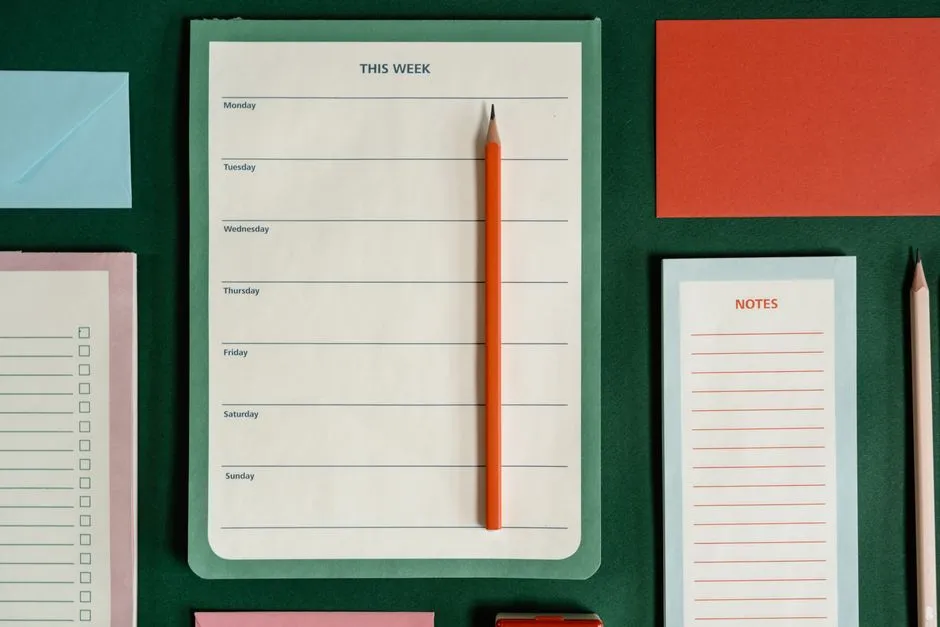
- How do you set up a family command center?
- Choose the location before the containers
- Give it five zones, not fifteen
- Build the first version from what you own
- Keep small parts out of reach
- Decide what never goes on the board
- Create a ten-minute setup routine
- Use one source of truth for each kind of information
- Make it work for different readers
- Solve the four ways command centers fail
- Run a two-week test before spending money
- Sources
How do you set up a family command center?
Set up a family command center where the household already pauses every day, then give it only five jobs: show the week, hold papers that need action, capture the next shopping or errand, park essential grab-and-go items, and display one small piece of family life. Start with paper, clips, a pen, and containers already at home. Run it for two weeks before buying organizers or adding more sections.
The point is not a beautiful wall. It is fewer missed forms, fewer schedule surprises, and less paper migrating across the kitchen counter.
Choose the location before the containers
Walk through a normal weekday and find the spot where bags, keys, school papers, and questions naturally meet. A useful command center is close to that route but not in the way of cooking, doors, stairs, or an exit.
Score each candidate location from zero to two:
| Test | 0 | 1 | 2 |
|---|---|---|---|
| Seen daily | Usually missed | Seen by one adult | Seen by most of the household |
| Easy to update | Requires a stool or moving furniture | Reachable with effort | Reachable during the normal routine |
| Paper landing | Papers arrive elsewhere | Papers can be redirected | Papers already land here |
| Traffic | Blocks a task or walkway | Occasionally awkward | Clear of cooking and walking routes |
| Privacy | Visible outside or to visitors | Some information must be covered | Household information stays reasonably private |
The highest score is the best place to test. That may be one side of the refrigerator, the inside of a pantry door, a strip of wall beside the back door, or a shallow basket and clipboard on a shelf. Renters can use a portable file box or freestanding board instead of attaching anything to a wall.
Do not start by filling an empty wall. Start by intercepting the information that already causes trouble.
Give it five zones, not fifteen
1. This week
Use one calendar view covering the next seven days. Write only events that affect another person's time, transport, meal, or preparation. A dentist appointment belongs. A private work reminder can stay in the work calendar unless someone else needs to act on it.
Put the date, time, place, and owner together. “Practice 5:30, Sam, blue field, leave 5:05” is more useful than “practice.” If transport is not settled, add a question mark rather than letting the calendar pretend it is handled.
2. Action papers
Use one upright holder, folder, or large clip for anything requiring a signature, payment, reply, appointment, or item sent back. This is not general storage. Every paper in the zone needs a next action.
Write the action and due date at the top when it arrives: “sign and return Friday” or “book by 12th.” During the weekly family reset, handle the pile and remove completed papers.
3. Shopping and errands
Keep one running list and one pen in the same place. Divide the page into grocery, household, pharmacy, and other errands only if those headings help. A family member who uses the last practical amount of something writes it down.
The command center captures the need. It does not need to become the full meal plan, budget, or store map on day one.
4. Leaving-the-house pocket
Give time-sensitive items a small, visible home: a library book to return, a form going back to school, or a card for tomorrow's mailbox. Keep passports, identity documents, medicines, cash, house keys, and sensitive records in their secure normal storage, not on an open family board.
Limit this zone to what leaves within the next few days. If it becomes a general lost-property basket, empty it and make the rule narrower.
5. One human thing
Add one photo, drawing, note, or small celebration. Rotate it instead of expanding the display forever. Keepsakes worth saving can move into the family memory-box system when their turn on the wall is over.
This zone matters because a command center should look like it belongs to a family, not an office supply catalogue. One small space is enough.
Build the first version from what you own
Gather:
- one sheet or reusable surface for the week;
- one folder, magazine file, or sturdy envelope for action papers;
- scrap paper or a small notebook for the list;
- two clips or a shallow container for outgoing items;
- one dependable pen;
- removable labels or plain paper labels;
- tape, hooks, or fasteners approved for the actual surface and load.
Lay everything out before attaching it. Open the nearby door, drawer, and cupboard. Walk past carrying a bag. Make sure no corner catches clothing and no container projects into the path.
If the setup requires drilling, a heavy board, or installation near wiring or plumbing, follow the product and wall-system instructions and use a qualified installer where the structure is uncertain. Do not guess what is behind a wall.
Keep small parts out of reach
Fridge boards often use magnets, and magnets need a flat safety rule. The U.S. Consumer Product Safety Commission warns that swallowed high-powered magnets can attract through internal tissue and cause serious injury. Its child-safety guidance says to keep small magnets away from children younger than six, especially children who may put objects in their mouths.
If a small magnet or magnetic component is loose or missing, remove the item from use. If you suspect a child swallowed a magnet, the CPSC says to seek immediate medical attention; do not wait for symptoms.
The same reach test applies to pushpins, button batteries, sharp clips, cords, medicines, and tiny decorative pieces. Use enclosed clips, tape, large integrated magnets, or a higher adult-only zone where appropriate. Choose for the people who actually live in the home, including children or adults who may mouth objects, not only for the age printed on an organizer.
Decide what never goes on the board
A shared wall is a poor place for information that creates a privacy or safety problem. Keep these elsewhere:
- full account numbers, passwords, access codes, or security answers;
- a child's complete school, medical, or identification record;
- visible travel dates that announce an empty home;
- medicine schedules that reveal private health information to visitors;
- legal, financial, custody, or employment papers;
- conflict notes or behavior tracking that could embarrass a child;
- emergency information too small or cluttered to read quickly.
A first name and appointment time may be enough. Use a symbol or initials if the board is visible from a window or shared entrance. Put detailed addresses and confidential notes in the relevant private calendar or secure file.
Emergency contacts deserve a separate, deliberately readable location known to the household. Do not bury them in a decorative collage.
Create a ten-minute setup routine
Choose one repeatable time each week. The routine is short because it has only six steps:
- Remove expired notes, finished events, and completed papers.
- Copy the next seven days from the household's source calendars.
- Mark transport, preparation, and unresolved handoffs.
- Review the action-paper folder by due date.
- Move outgoing items to the bag, car, or secure place they need next.
- Photograph the board if an adult needs the week while away from home.
The photograph is a convenience copy, not the master. Update the shared source if plans change. Otherwise the wall and the phone quietly become two competing versions of Tuesday.
On busy weeks, stop after steps one through four. A smaller current board is better than a complete board nobody trusts.
Use one source of truth for each kind of information
A command center can be paper, digital, or mixed. Trouble starts when the same detail is maintained independently in several places.
Assign one source:
- Appointments: the shared digital calendar may be the master; the wall shows the next seven days.
- School papers: the original paper stays in the action holder until returned or filed.
- Shopping: the wall list is the master until someone transfers or photographs it for the shop.
- Chores: a separate chart can be the master; the weekly board shows only unusual changes.
- Memory items: the display is temporary; the memory box is the archive.
Write the rule at the bottom of the board for the first month: “Calendar changes go in the shared calendar first.” That single sentence prevents many mismatches.
Make it work for different readers
The board should be usable by the household, not only by the person who designed it.
- Put the most important weekly information at a readable height.
- Use high contrast, plain labels, and enough writing space.
- Pair color with words or symbols so color is never the only cue.
- Give pre-readers a picture or consistent symbol for recurring activities.
- Keep handwriting large and avoid decorative scripts for instructions.
- Offer a verbal, digital, or printed alternative for anyone who cannot use the wall display.
- Put adult-only details above reach without making the family-facing calendar inaccessible.
Ask each person to find tomorrow's plan, the shopping list, and the action papers. If they cannot do that in a few seconds, change the layout rather than explaining it again.
Solve the four ways command centers fail
It becomes a paper landfill
The action holder contains storage, art, mail, and expired notices. Empty it. Return only papers with a named action and due date. File keepsakes and records somewhere else.
One person maintains everything
Make contribution specific. One adult reconciles calendars; anyone can add a grocery item; the person who opens a time-sensitive paper writes its action and date. Young children can choose the display item or carry a safe outgoing paper to a bag.
Nobody looks at it
Move it into an existing pause point and attach the glance to a real routine: breakfast, packing bags, or the evening kitchen reset. Do not add reminders telling people to check a reminder board in the wrong place.
It contains too much
Remove whole zones before buying a larger board. The weekly view, action papers, and one list do most of the work. Chore charts, meal plans, budgets, school portals, mail sorting, and memory displays can remain separate systems unless combining them genuinely reduces effort.
Run a two-week test before spending money
For fourteen days, use temporary paper labels and containers already at home. At the end, ask:
- Which item did someone consult without being reminded?
- Which paper reached its destination on time?
- What still landed on the counter?
- Which zone collected things with no next action?
- Did anyone miss a change because two calendars disagreed?
- Is anything private, sharp, small, loose, or badly mounted?
Keep what earned its space. Move, shrink, or remove the rest. Only then decide whether a larger calendar, wall pockets, hooks, or a permanent board would solve a demonstrated problem.
The best family command center is not finished. It is current, easy to scan, safe for the household, and small enough to reset next week.